Mac menu bar apps for disk space, compared
Three paid apps that put storage information in the macOS menu bar, from focused disk space indicators to a full system monitor. The other apps are described from their official pages.
Quick picks
- Every volume at a glance, with a warning threshold for each and a map of what fills it: Storage Menu.
- A full system monitor that includes disk activity and S.M.A.R.T. status: iStat Menus.
- A disk space icon with low space notifications: Disk Space Status Bar Station.
Why Storage Menu
- One bar per volume
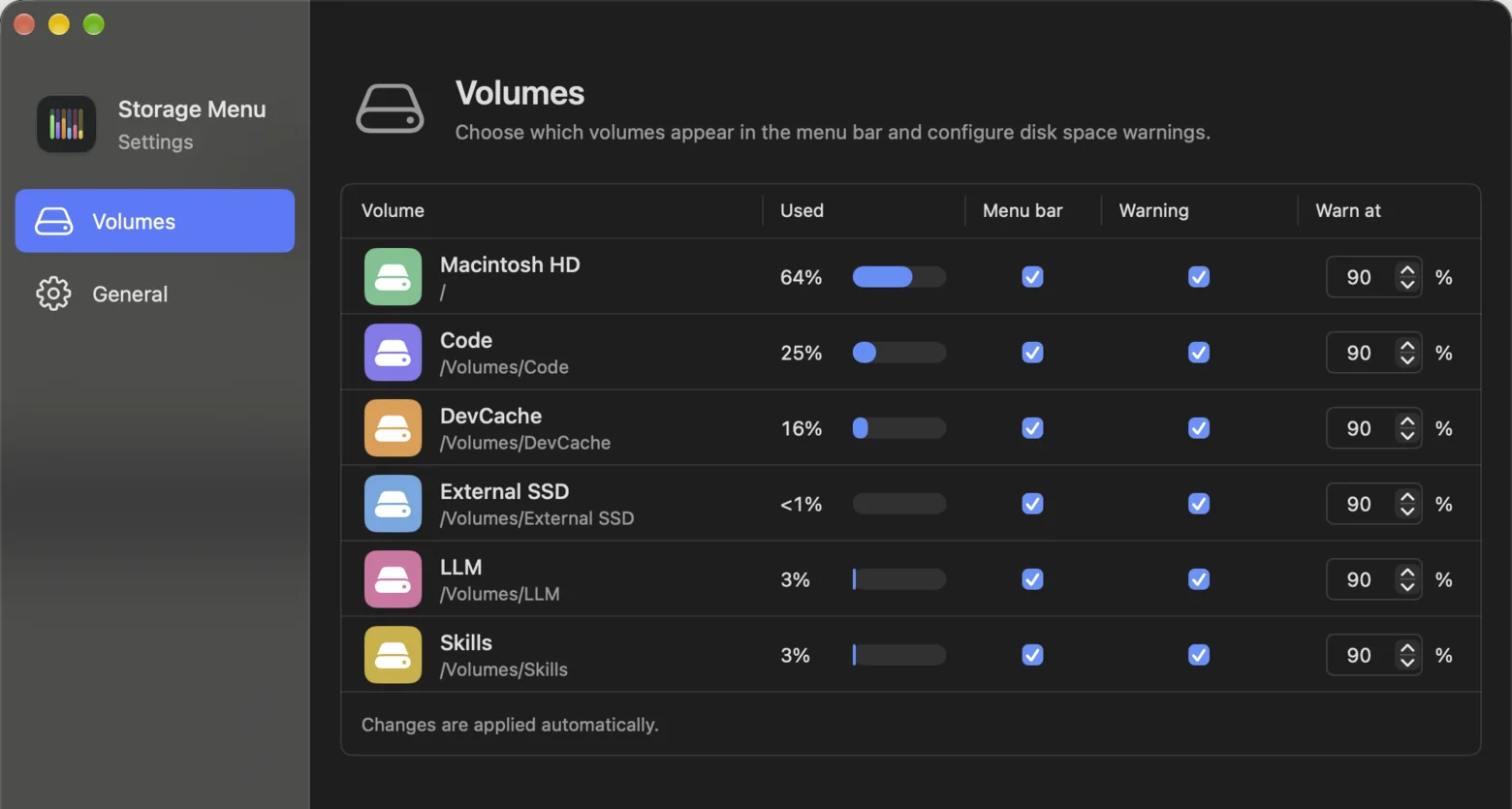
Your Mac and each local volume, including external drives, get their own colored bar in the menu bar.
- A warning for each volume
Set any threshold from 1% to 100%, or turn the warning off for a volume.
- A map of what fills each disk
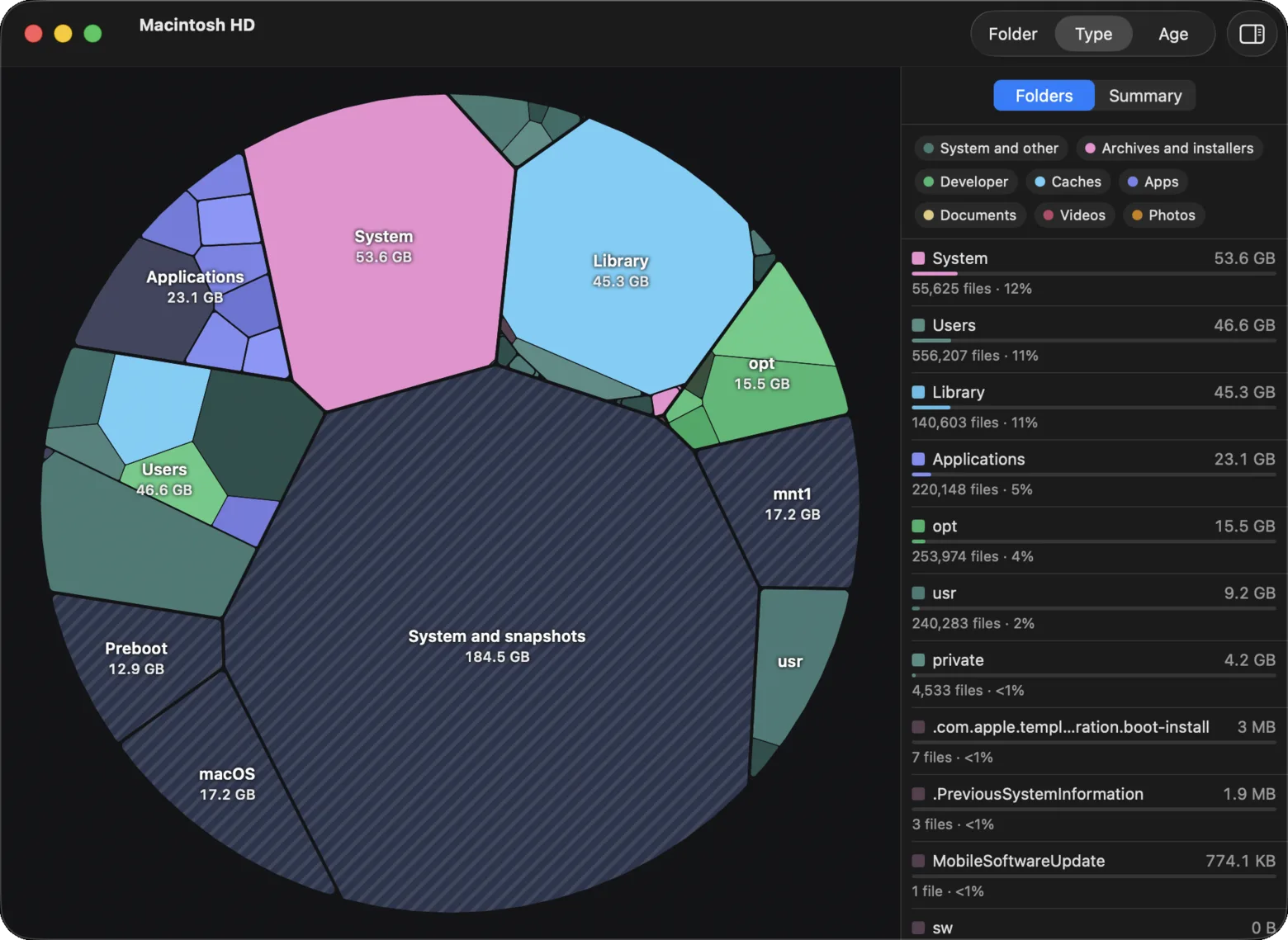
Analyze on a volume maps its folders by size, colored by folder, file type, or age, and lists the largest files.
- You choose what appears
Pick colors and which volumes show in the menu bar.
- Private
The App Store privacy label is Data Not Collected. No telemetry.
- Simple to buy and share
One price with no in-app purchases, a 2.1 MB download, 50 languages and regional variants, and Family Sharing for up to six family members.
The apps
Storage Menu
- Focus
- Disk space: how full each volume is, and what fills it.
- In the menu bar
- A colored bar for each local volume, including external drives. A click shows used space, free space, total capacity, and the usage percentage. Settings choose which volumes appear.
- Warnings
- A threshold for each volume, from 1% to 100%. An orange symbol appears in the menu bar and the panel. No notifications.
- Disk map
- Analyze on a volume opens a map of its folders, colored by folder, file type, or age, with the largest files in a summary. Nothing is changed or deleted.
- Price
- US$1.99 on the Mac App Store in the US store, with no in-app purchases.
- Requires
- macOS 14 or later, Apple Silicon or Intel.
iStat Menus
- Focus
- A full system monitor: CPU, GPU, memory, disks, network, sensors, battery, weather, and more.
- In the menu bar
- Used space, free space, and disk activity. Its disk menu adds S.M.A.R.T. status and per-app disk usage.
- Price
- Paid, with a 14-day free trial. Also included in the Setapp subscription.
- Requires
- macOS 13.5 or later for version 7.5.
Disk Space Status Bar Station
- Focus
- Disk space only.
- In the menu bar
- A disk space icon with several icon styles, color themes, and display modes.
- Warnings
- Optional notifications when disk space becomes critically low.
- Price
- US$0.99 on the Mac App Store in the US store.
Prices and features can change, and App Store prices vary by country. Sources: iStat Menus, Disk Space Status Bar Station.
What Storage Menu focuses on
Storage Menu is built for storage: used and free space for each local volume, with a separate warning for each one, and a disk map that shows which folders and files take up the space. It doesn’t read CPU, memory, network, or disk activity.
New to menu bar storage apps? Start with How to show disk space in the Mac menu bar.